
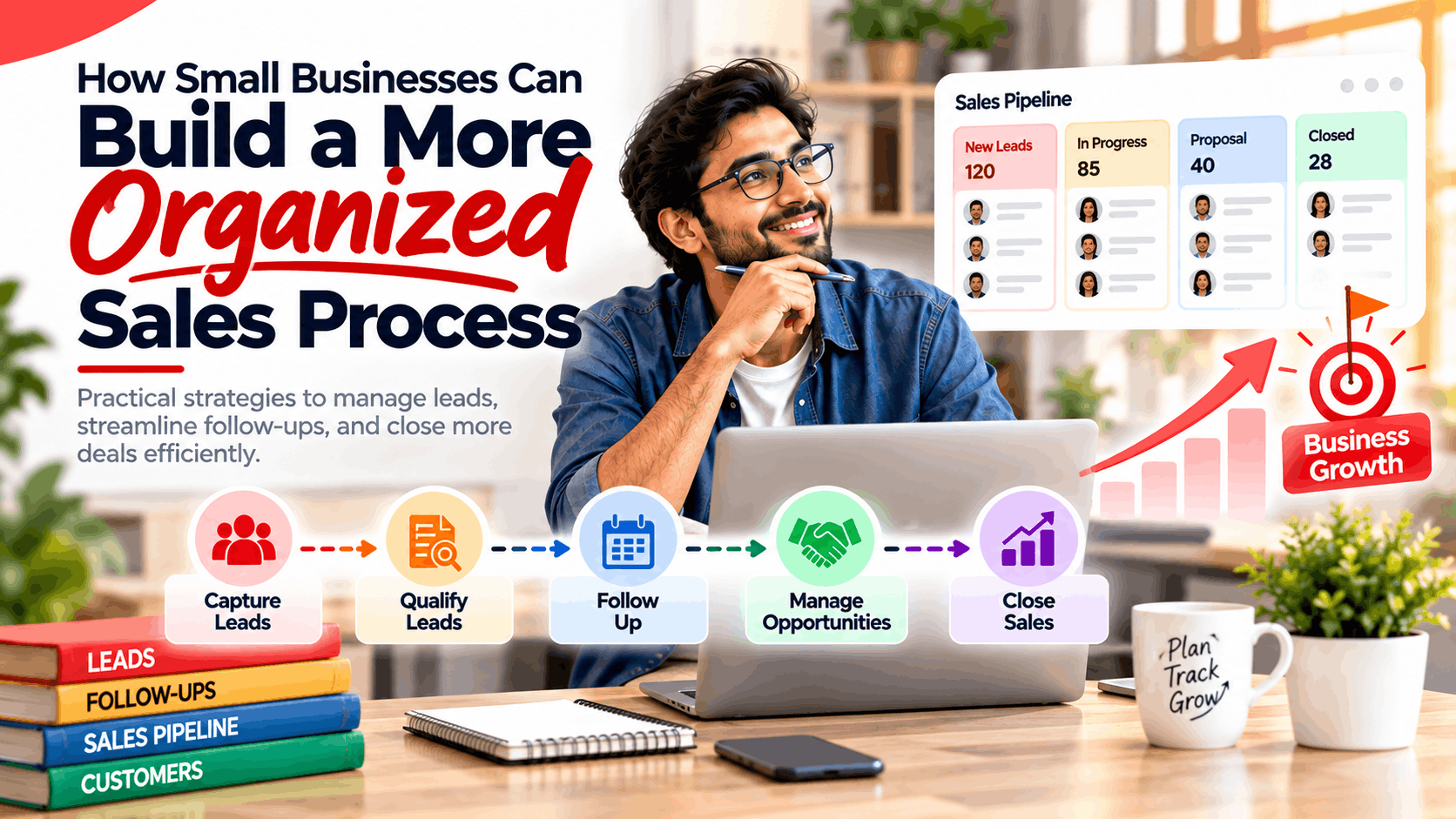
As small businesses grow, the number of inquiries, demo requests, and potential customers increases. Without a clear system to manage these interactions, teams often struggle with scattered customer information, missed follow-ups, and inconsistent communication. This lack of organization can lead to lost opportunities, frustrated sales reps, and confused prospects.
Building an organized sales process becomes essential at this stage. It helps businesses track every lead, prioritize high-value opportunities, and maintain consistent communication ultimately improving conversion rates and customer satisfaction.
What Is an Organized Sales Process?
An organized sales process is a structured sequence of steps that guides prospects from initial contact to becoming paying customers. While every business is different, a typical sales process includes the following stages:
-
Lead Capture: Collecting contact information through website forms, social media, events, or referrals.
-
Lead Qualification: Assessing whether a lead fits your ideal customer profile and is ready to engage with sales.
-
Follow-Up: Contacting leads promptly and consistently to build interest and move them through the funnel.
-
Sales Opportunity Management: Tracking active deals, scheduling demos, and sending proposals.
-
Conversion: Turning qualified leads into customers through negotiations, contracts, or payments.
-
Customer Relationship Management: Maintaining post-sale relationships to encourage repeat business and referrals.
A well-defined process ensures that every team member follows the same steps, reducing confusion and improving efficiency.
Common Problems With Unorganized Sales Processes
Many small businesses start with informal methods spreadsheets, email inboxes, or even memory to track sales activities. While this works initially, it often leads to several challenges as the business grows:
-
Scattered Customer Information: Lead details are stored across multiple tools, making it hard to find complete histories.
-
Missed Follow-Ups: Without reminders or task tracking, prospects wait too long for responses and lose interest.
-
Manual Data Entry: Sales reps spend significant time updating records instead of selling.
-
Poor Lead Prioritization: Teams treat all leads equally, wasting time on low-quality prospects while hot leads wait.
-
Lack of Communication Between Sales Team Members: Different reps may contact the same lead with conflicting messages.
-
Difficulty Tracking Sales Performance: Without clear reporting, it’s hard to know which strategies are working or where bottlenecks exist.
These issues not only reduce sales productivity but also damage customer trust and brand reputation.
7 Ways Small Businesses Can Improve Their Sales Process
1. Centralize Customer and Lead Information
Store all prospect and customer data in one place. This ensures every team member has access to complete interaction histories, reducing duplication and miscommunication.
2. Create a Consistent Follow-Up Process
Define clear timelines for responding to new leads and scheduling follow-ups. Automated reminders can help ensure nothing slips through the cracks.
3. Prioritize Leads
Use qualification criteria (such as budget, authority, need, and timeline) to identify high-intent prospects. Focus your team’s efforts on leads most likely to convert.
4. Track Every Customer Interaction
Log calls, emails, meetings, and notes for each prospect. This creates a complete record that helps reps personalize communication and avoid redundant questions.
5. Automate Repetitive Tasks
Use automation to handle routine activities like sending acknowledgment emails, creating follow-up tasks, or updating deal stages. This frees up time for actual selling.
6. Monitor Sales Performance
Review key metrics such as conversion rates, average deal size, and sales cycle length. Regular reporting helps identify what’s working and where improvements are needed.
7. Review and Improve the Process Regularly
Sales processes should evolve as your business grows. Hold periodic reviews to refine stages, update qualification criteria, and incorporate feedback from the sales team.
The Role of CRM Software in Sales Management
CRM (customer relationship management) software helps businesses organize leads, contacts, tasks, meetings, follow-ups, calls, sales pipelines, reports, and customer interactions in one centralized system. Key benefits include:
-
Centralized Data: All customer information is stored in one place, accessible to the entire team.
-
Automated Workflows: Routine tasks like email follow-ups and task creation happen automatically.
-
Pipeline Visibility: Managers and reps can see where each deal stands and what needs to happen next.
-
Performance Reporting: Dashboards and reports provide insights into conversion rates, rep performance, and lead sources.
-
Improved Collaboration: Shared records reduce miscommunication and ensure consistent messaging.
For example, Lemai CRM is a platform that supports businesses in organizing their sales activities. It offers features such as Lead Management, Tasks & Meetings, Call Log Management, Target Management, Reports & Analytics, Automations, and Custom Dashboards & Forms. Businesses exploring options can evaluate CRM software for businesses to see which features align with their needs.
How to Choose CRM Software for a Small Business
Selecting the right CRM depends on your business size, sales process, and budget. Consider the following factors:
-
Ease of Use: The system should be intuitive, requiring minimal training.
-
Features: Ensure it supports your core needs, such as lead tracking, pipeline management, and reporting.
-
Automation: Look for workflow automation, email triggers, and task reminders.
-
Reporting: Dashboards and customizable reports help track performance.
-
Scalability: Choose a platform that can grow with your business.
-
Mobile Accessibility: A mobile-friendly CRM allows updates from anywhere.
-
Integrations: Check compatibility with your email, calendar, and marketing tools.
-
Pricing: Compare plans to find one that fits your budget without sacrificing essential features.
Practical Tips for Building a Better Sales Process
-
Define your ideal customer profile: Know who you’re selling to before capturing leads.
-
Map the buyer journey: Understand the steps prospects take before making a purchase.
-
Set clear stage exit criteria: Define what “done” looks like at each sales stage.
-
Assign timeboxes: Set realistic timelines for each stage to avoid deals stalling.
-
Track KPIs per stage: Measure conversion rates and time-in-stage to spot bottlenecks.
-
Use templates: Standardize emails, proposals, and call scripts to maintain consistency.
-
Hold regular pipeline reviews: Discuss active deals, blockers, and next steps in team meetings.
Conclusion
An organized sales process is essential for small businesses aiming to grow sustainably. By centralizing information, creating consistent follow-up routines, and leveraging automation, businesses can reduce missed opportunities and improve customer relationships.
Combining clear processes with the right tools such as CRM software helps teams manage leads more effectively, track performance, and make data-driven decisions. For growing businesses, investing in a structured sales process is a practical step toward predictable revenue and long-term success.

 Arabic
 French
 Spanish
 Portuguese
 Deutsch
 Turkish
 Dutch
Dutch
 Italiano
 Russian
 Romaian
 Portuguese (Brazil)
 Greek
Greek